












Turn your actions into instructions.
Record your PC workflow and turn screenshots and interaction details into draft instructions. Refine the text and images, then share a clear HTML or PDF manual—all in one Windows app.
Explore the examplesFor Windows 10 / 11. Monthly subscription required.
View on Microsoft Store →
From recording to export, in one app.
- 01
Record
Record your full screen or a selected area for up to five minutes. Adjust how much detail is kept in the generated steps.
- 02
Edit
Review the draft steps and refine them into instructions your readers can follow.
- 03
Organize
Group related flows and build a clear structure for your manual.
- 04
Export
Export your finished manual as HTML or PDF and share it with the people who need it.
Refine your steps and screenshots
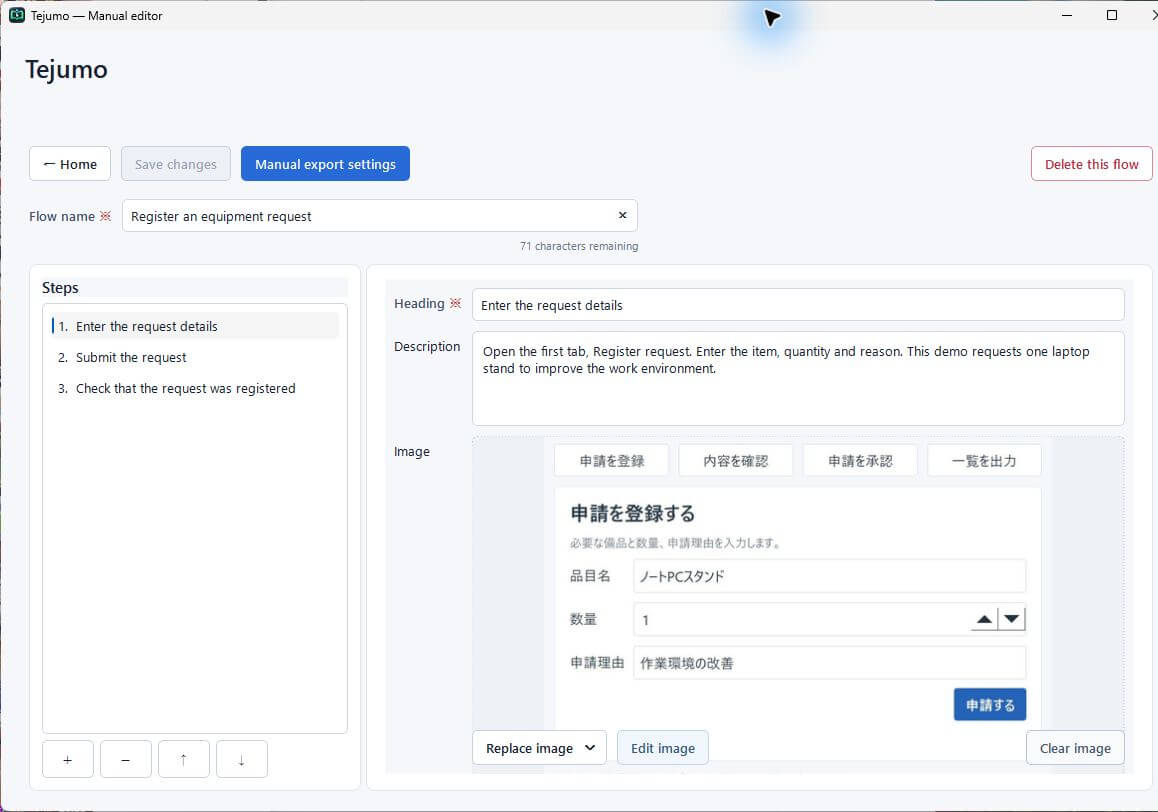
Edit headings, descriptions and the order of steps. Remove unnecessary steps and add any missing explanation.
- Replace an image with a recorded screenshot, a new capture or an image file
- Highlight important areas with text, shapes and click markers
- Hide information with solid masks or mosaic effects
Turn categories into chapters
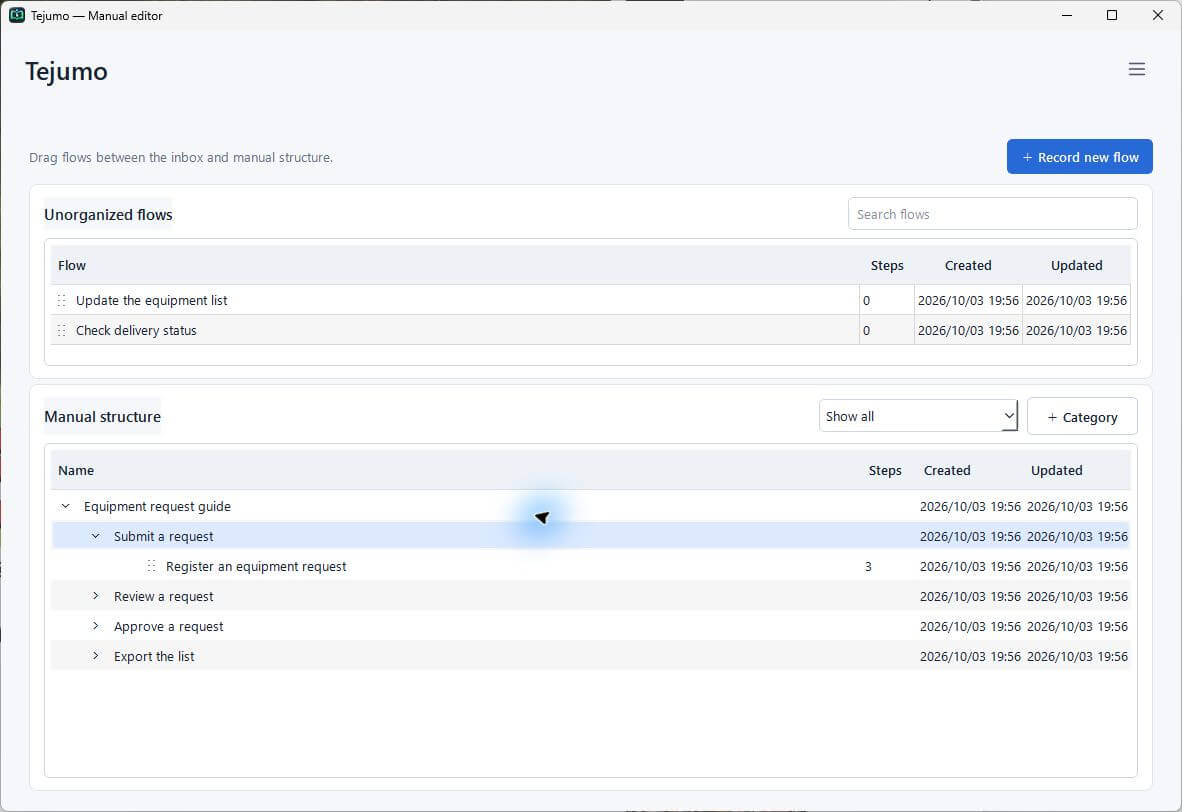
Create categories such as “Submit a request” and “Approve a request” to group related workflows. Nest them as chapter headings and arrange them in reading order, so readers can quickly find the instructions they need. Export the same structure directly to HTML or PDF.
Protect a completed top-level category to prevent changes, moves or deletion anywhere beneath it.
Categories become headings, with related flows beneath them
- Submit a request
- Register a request
- Check request status
- Approve a request
- Approve the request
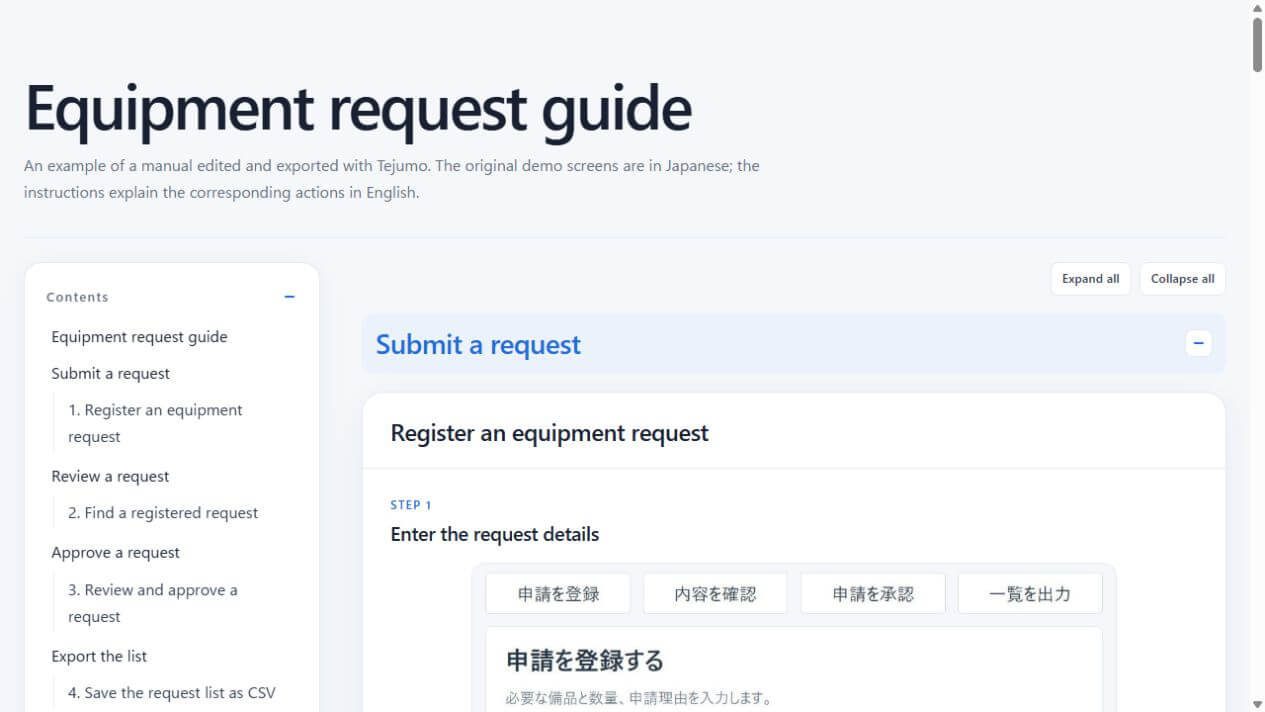
Share in a format that is easy to read
Choose the heading-band color, image size and table of contents, then preview the result before exporting. Export a single flow or an entire manual organized into categories.
See an example manualCreate manuals on your PC. Keep your screen data on your PC.
Tejumo uses on-device OCR (text recognition) and interaction details—not cloud AI—to create draft steps. Recorded screens and interaction data are not sent to an external service. Edit, organize and export HTML or PDF manuals right on your own PC.