















Turn your actions into instructions.
Record your PC workflow and turn screenshots and interaction details into draft instructions. Refine the text and images, then share a clear HTML or PDF manual—all in one Windows app.

For Windows 10 / 11. Includes a 7-day trial without payment registration.
From recording to export, in one app.
- 01
Record
Record your full screen or a selected area for up to five minutes. Adjust how much detail is kept in the generated steps.
- 02
Edit
Review the draft steps and refine them into instructions your readers can follow.
- 03
Organize
Group related flows and build a clear structure for your manual.
- 04
Export
Export your finished manual as HTML or PDF and share it with the people who need it.
Refine your steps and screenshots
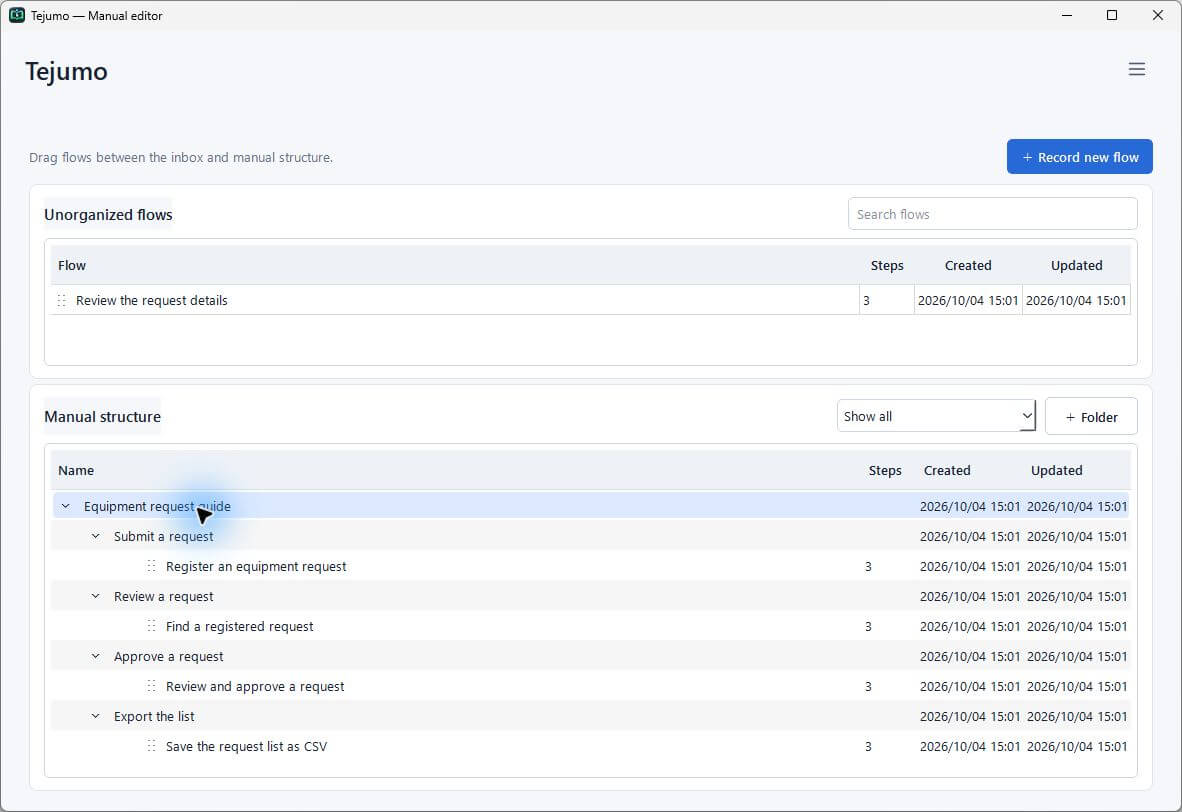
Edit headings, descriptions and the order of steps. Remove unnecessary steps and add any missing explanation.
- Replace an image with a recorded screenshot, a new capture or an image file
- Highlight important areas with text, shapes and click markers
- Hide information with solid masks or mosaic effects
Organize flows in folders
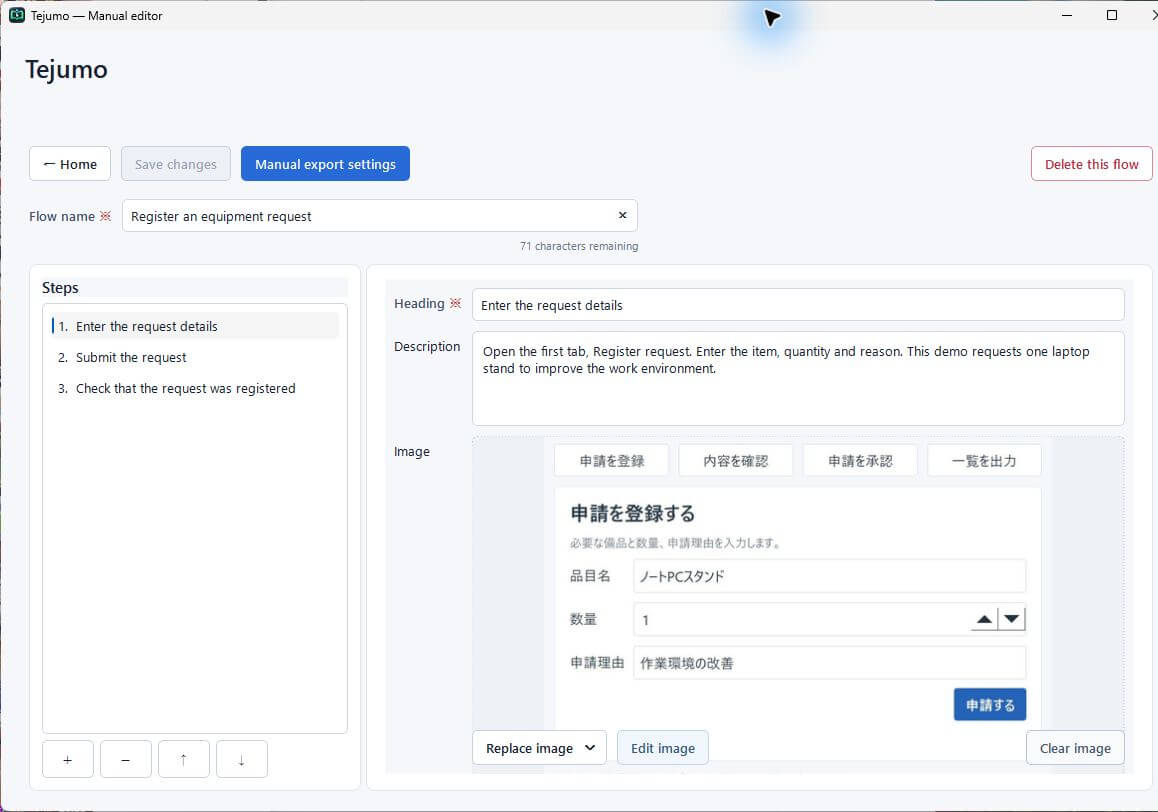
Create folders such as “Submit a request” and “Approve a request” to group related workflows. Use subfolders to organize them and arrange them in reading order. Folder names become headings in the exported manual, so you can turn the same structure directly into an HTML or PDF manual.
Protect a completed top-level folder to prevent changes, moves or deletion anywhere beneath it.
Folder names become manual headings, with related flows beneath them
- Submit a request
- Register a request
- Check request status
- Approve a request
- Approve the request
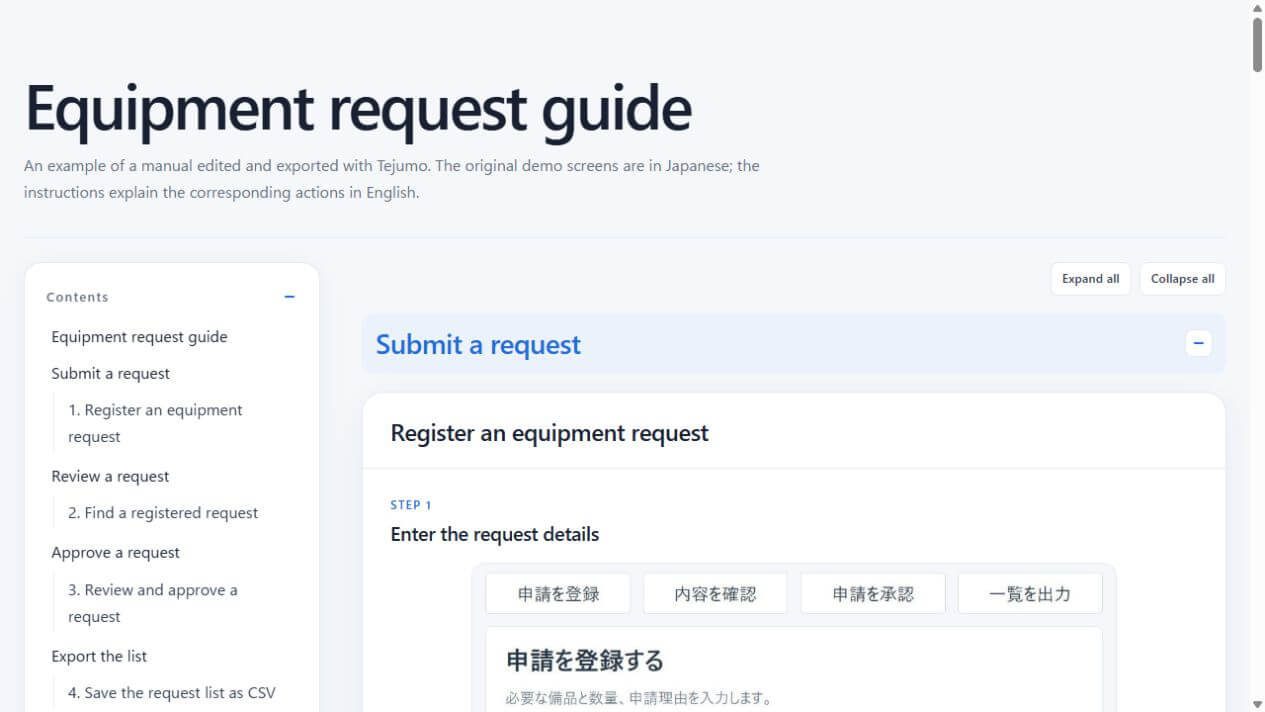
Share in a format that is easy to read
Choose the heading-band color, image size and table of contents, then preview the result before exporting. Export a single flow or an entire manual organized into folders.
See an example manualCreate manuals on your PC. Keep your screen data on your PC.
Tejumo uses on-device OCR (text recognition) and interaction details—not cloud AI—to create draft steps. Recorded screens and interaction data are not sent to an external service. Edit, organize and export HTML or PDF manuals right on your own PC.
Tejumo features
Tejumo is a manual-creation app developed and maintained by an independent developer. It is available for JPY 480 per month, making it easy to use for everyday documentation.
Recorded screens and interaction data are not sent to an external service. Edit and organize your steps, then export your manuals—all on your own PC.
Compare pricing and recorded data storage
| Service | Tejumo | Service A | Service B | Service C(Japan) |
|---|---|---|---|---|
| Price | JPY 480per month in JapanCheck Microsoft Store for pricing in your region. | USD 35 / monthper person | USD 26 / monthper person, for individual use | JPY 89,800 / monthExcluding tax; 50 accounts+ JPY 500,000 setup fee |
| Recorded data storage | On your PC | Cloud | Cloud | Cloud in Japan |
An independent developer who listens to your ideas.
Your feedback reaches the developer directly and helps guide new features and usability improvements.
Have a feature in mind or a small change that would make Tejumo easier to use? Please share your suggestions—big or small.
Send a feature requestFind Tejumo on Microsoft Store.
Try every feature free for one week. No payment details are required, and you will not be charged automatically when the trial ends. Data created during the trial remains saved.